


Comprehensive Guide to Digitizing Old Photos: Top Methods Reviewed
Digitizing old photo albums can seem like a daunting task, but with the right tools and techniques, it can be a manageable and rewarding project. This guide explores various methods of photo digitization, evaluating their strengths and weaknesses to help you choose the right approach for your needs.
Why Digitize Photos?
With digital technology becoming the norm, preserving your precious memories in digital format offers numerous benefits:
- Space Saving: Digital photos take up no physical space, allowing for more efficient storage.
- Easy Sharing: Digital formats make it easy to share photos with family and friends.
- Enhanced Safety: Digital files can be easily backed up in multiple locations, reducing the risk of loss.
Methods for Digitizing Photos
Here’s a detailed review of various photo digitization methods based on quality, speed, and cost.
1. Using a Smartphone Camera
Cost: $0
Quality: Moderate
Speed: Slower
Most smartphones, such as the iPhone series, allow you to capture images of your photos without any additional cost. To ensure quality:
- Set your camera to the highest resolution.
- Use a tripod for stability.
- Arrange photos on a plain white background for clarity.
However, this method can be time-consuming, especially when cropping images. Ideal for digitizing a small number of photos.
Verdict: Best for cost-conscious users, but not efficient for large batches.
2. Flatbed Scanner
Cost: $99 (or free if you already own one)
Quality: High
Speed: Slow
Flatbed scanners, like the HP Envy, provide premium-quality scans. They capture images with vibrant colors and detail, making them excellent for various photo types.
However, time is a downside; arranging and scanning photos can be tedious, making it less suitable for large collections.
Verdict: Excellent for quality but not time-efficient for larger projects.
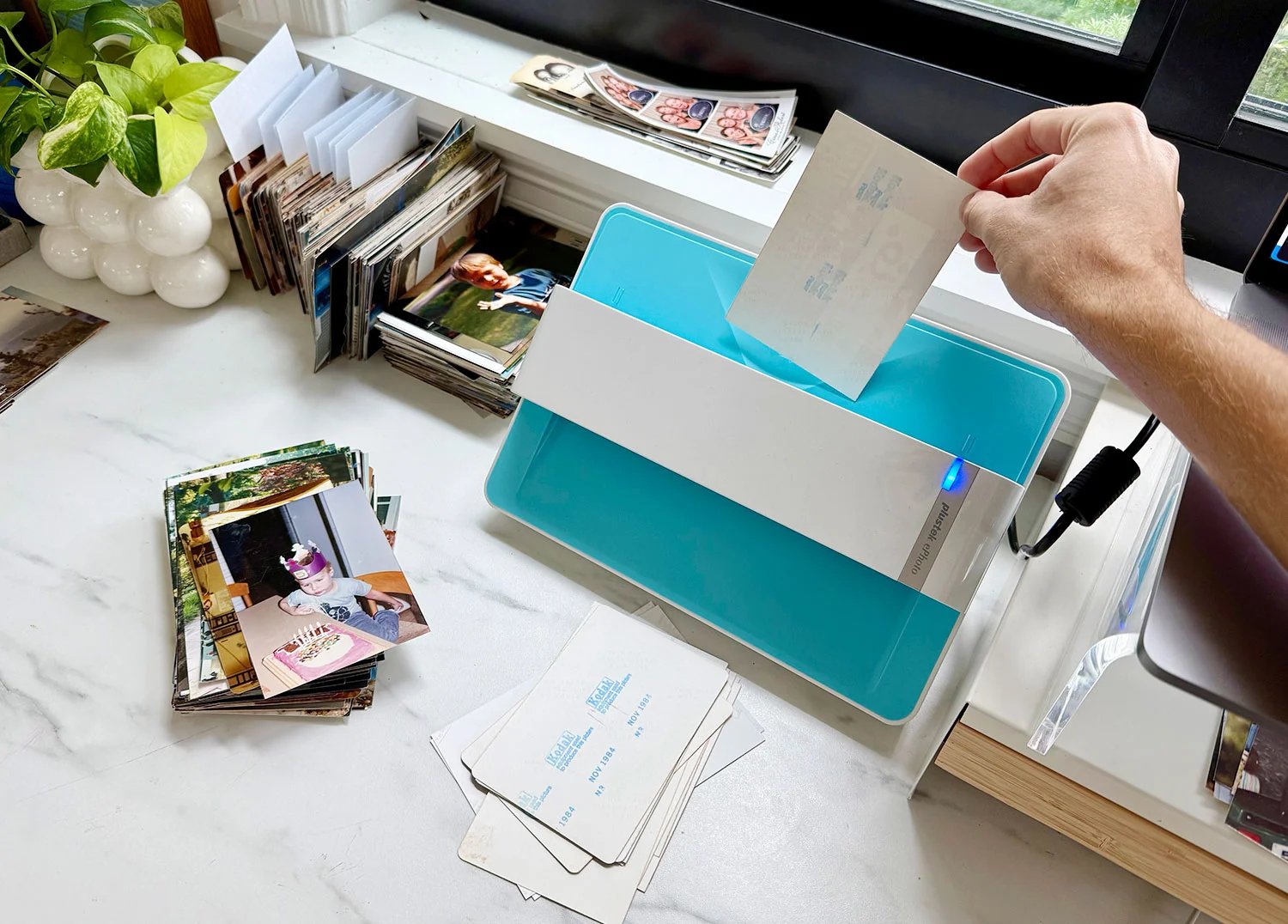
3. Dedicated Photo Scanner (Plustek ePhoto Scanner)
Cost: $200
Quality: High
Speed: Fast
The Plustek ePhoto Scanner stands out for its speed and efficiency. It allows users to insert photos directly for quick scanning, handling large volumes with ease.
After initial quality issues, adjusting settings helps achieve better results. The Plustek scanner provides a good balance of speed and quality.
Verdict: Best for users needing fast and effective scanning for a large quantity of photos.
4. Photo Digitizing Apps (Photomyne)
Cost: $60/year (3-day free trial available)
Quality: Moderate
Speed: Moderate
Photomyne enhances your phone’s camera with features like automatic cropping. This makes scanning multiple photos at once more efficient. Although some quality loss occurs when grouping images, it remains a viable option for those without access to a scanner.
Verdict: A solid alternative for those unwilling to invest in dedicated hardware.
5. Third-Party Digitizing Services (LegacyBox)
Cost: From $55 to $350, depending on the number of photos
Quality: Varies
Speed: Slow
Services like LegacyBox handle the digitization process entirely. This hands-off approach suits those with little time or inclination to manage the process themselves.
However, the cost is considerably higher than other methods, and processing times can be lengthy (4-6 weeks).
Verdict: Best for users prioritizing ease over cost and speed.
Choosing the Right Method
Ultimately, selecting the right photo digitization method depends on your needs:
- For budget-conscious approaches, smartphone cameras or free apps provide decent results.
- If high quality is paramount, invest in a flatbed scanner or dedicated photo scanner like the Plustek.
- For convenience, a third-party service is the way to go, albeit at a higher cost.
In summary, digitizing your precious memories can be straightforward with the right strategy. Consider these methods carefully, and you can turn your physical photo albums into easily accessible digital collections in no time.
